
A good workout set tracker does one job: it shows you what you lifted last time so you know exactly what to beat today. To do that, it needs to record the exercise, weight, reps and how hard the set felt, and it has to take seconds, not minutes, between sets. Athlxpro is built around that idea: you log a set in one tap on iPhone or Apple Watch, and the app sets your next weight and reps from the sets you logged last time.
This guide covers what to record for every set, how to log without losing your rhythm, what to look for in a set tracker app, and how to turn a pile of numbers into your next workout.
TL;DR
- Record four things for every set: exercise, weight, reps and set number. Add a quick effort note so the numbers mean something.
- Logging should take seconds. If it slows your rest periods, you will stop doing it.
- Show last session’s numbers while you lift, so the target is in front of you and not in your memory.
- Review lightly: a glance before each session, a scan once a week, and a bigger look at the end of a training block.
- Athlxpro lets you log a set in one tap, and it sets your next weights from the sets you logged last time.
Table of Contents
- What a workout set tracker should record
- Why a number alone can mislead you
- How to log sets without breaking your rhythm
- Logging sets on Apple Watch
- What to look for in a set tracker app
- How to use your log to plan the next workout
- A simple start for beginners and busy lifters
- Where Athlxpro fits
- FAQ
- Sources
What a workout set tracker should record
Strip the idea down and a set tracker is a table with one row per set. The question is which columns earn their place.
The core is short. Coach Luke’s guide says the simplest strength log captures four things each session: the exercise, the weight, the reps and the number of sets, plus a quick effort note and anything you want to change next time. LiftStrong’s journal guide lists nearly the same: the specific exercise, the weight, the actual reps in each set, the count of working sets and a brief difficulty note. It estimates about 15 seconds per exercise.
Here is what each field does for you:
| Field | What it tells you | Example |
|---|---|---|
| Exercise | Which lift you are comparing. Be specific: a barbell bench press and a dumbbell bench press are different lifts. | Incline dumbbell press |
| Weight | The load, in one consistent unit. Note the machine setting if the stack is unusual. | 60 lb per hand |
| Reps | What you actually completed, not what the plan said. | 9, 8, 7 |
| Set number | Which working set you are on, so nothing gets skipped or double counted. | Set 2 of 3 |
| Effort | How hard it felt, on a simple scale. | Solid |
The last column is the one most people skip, and it is the one that makes the rest useful.
Why a number alone can mislead you
Say last week you did 100 kg for 5 reps and today you did 95 kg for 5. It looks like a step backward. Workout API’s guide points out that the same entry could reflect shorter rest, a slower tempo, a different machine, accumulated fatigue or a sore shoulder. Progress, it argues, means lifting more under comparable conditions.
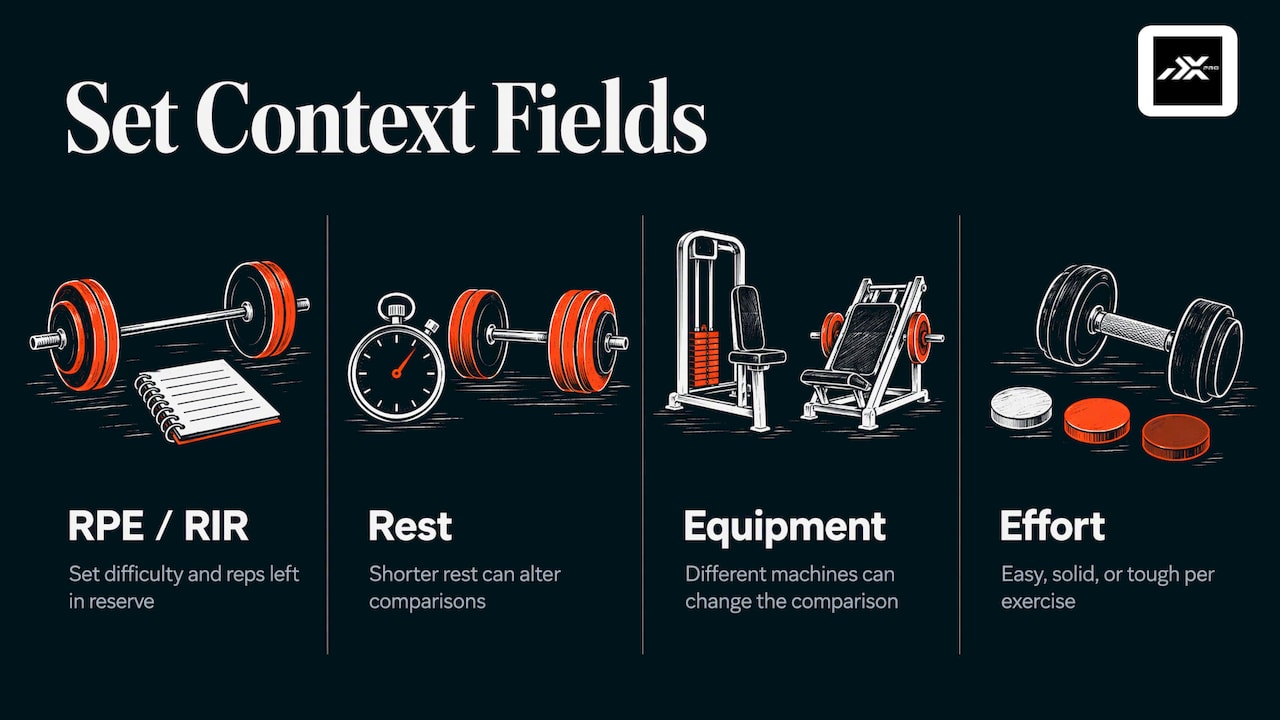
That is why a short effort note matters. The same guide suggests lightweight context fields such as RPE (rate of perceived exertion, a score for how hard a set felt), RIR (reps in reserve, how many more reps you could have done), rest time and equipment changes. You do not need all of them. One effort word per exercise (easy, solid, tough) already separates a planned lighter day from a bad one.
Effort is also what lets a tracker do more than store numbers. Athlxpro’s programs are built on progressive overload (gradually asking a bit more of your body over time). The sets you logged last time, together with your morning check-in, are what change the plan. On a bad morning it holds the weight or takes a set off.
How to log sets without breaking your rhythm
The best log is the one you actually finish. Here is a routine that works with any tracker, and where it goes wrong.
1. Know the target before you start
Write or load the plan for the day: exercise, weight, sets and reps. A paper log works, and so does a spreadsheet, but both depend on you remembering to look back at last week and do the math. With Athlxpro the target is already set: it plans your next session from the sets you logged last time, so you never have to remember last week’s weights.
2. Log right after the set, not at the end
Logging from memory after the workout is where errors creep in. You forget whether the third set was 8 reps or 7, and the weight you remember is the weight you planned. Log while you rest. Some people use tally marks on a paper log so they always know which set they are on. A tracker that does this for you is simpler: in Athlxpro you log a set in one tap, so the set number takes care of itself.
3. Record what happened, not what was planned
If the plan said 5 reps and you got 4, log 4. A tracker full of planned numbers tells you nothing. The honest entry is what makes next week’s target correct.
4. Add the effort note
One word is enough. Easy means you had plenty left, solid means the set was demanding but clean, tough means you were near your limit. In Athlxpro the next weight comes from the weight and reps you logged, so this note is for you.
5. Note anything unusual
A machine swap, a pinch in the shoulder, a cut-short rest: these are the details Workout API describes as context that keeps comparisons fair. Keep it to a few words.
6. Close the session
A glance at the finished workout takes a few seconds and confirms nothing is missing. Do not edit your numbers upward afterward; the log is only useful if it is true.
Logging sets on Apple Watch
Pulling out a phone between sets is the most common reason logs fall apart. A watch on your wrist removes that step. With Athlxpro, once the plan is on your Apple Watch, a full workout can run from the watch: you see the exercise, the target weight and reps, and you log each set in one tap.
If you want the full walkthrough for the watch, our guide to Apple Watch strength training goes through it in detail, and iPhone workout tracking covers what Apple’s own tools do and where a strength-specific app fits.
A wrist-based rep counter that estimates movement has limits. Coach Luke notes that a watch’s automatic count handles only one movement per set and can struggle with leg exercises because the wrist barely moves. Logging the set yourself in one tap keeps it exact: the number in your log is the number you did.
What to look for in a set tracker app
Plenty of apps can store a weight and a rep count. The differences show up in the middle of a workout, when you are tired and have 90 seconds. Coach Luke’s checklist is a useful starting point: fast logging, last session visible while you lift, custom exercises and easy data export. Here is how to judge each one.
Speed of logging
Count the taps for one set. If it takes more than one or two, you will start batching entries at the end of the workout, and accuracy drops. Athlxpro is built so that you log a set in one tap.
Last session in view
The point of the log is the next session. An app that makes you hunt through history to find last week’s bench press is a spreadsheet with extra steps. Athlxpro goes further: it sets your next weight and reps from your last session, so the target shows up ready.
Exercise guidance
Logging only helps if the exercise is the same one each time. Athlxpro includes 577 exercise videos, so you can check what an exercise should look like before you load it.
Progress you can see
Charts for weight and volume show whether the trend is up. Athlxpro has weight and volume charts, records, awards, XP and levels, so a new personal best is recorded the moment you hit it.
Your data stays yours
If you ever want to hand your history to a coach or keep your own copy, export matters. Athlxpro makes PDF and CSV reports and a full JSON export on your iPhone. It has no ads and no analytics SDKs, and health data is never used for ads.
The wider picture
Sets do not happen in isolation. Athlxpro puts training, food, sleep, steps and heart rate on one screen. Alex, the AI coach, sees your training, food, sleep, steps and heart rate (the Apple Health data needs your consent), so you can ask questions with that context in view. Food is logged by photo, which is an AI estimate, or by barcode.
How to use your log to plan the next workout
A log you never read is a diary. The review is where the data pays off, and it does not need to be long.
Before each session: 30 seconds
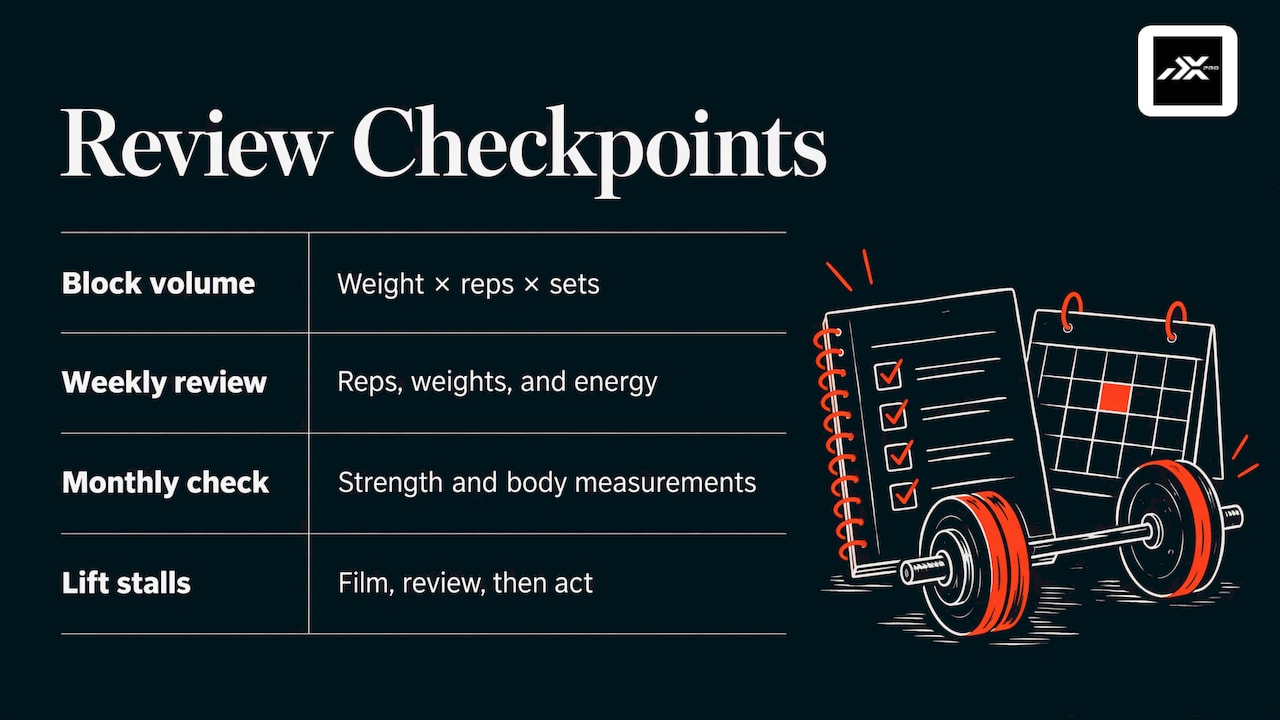
Look at last time’s numbers for today’s lifts. That is your target. LiftStrong’s Jeff recommends a quick pre-session glance, a weekly scan, a bigger review at the end of every 4 to 6 week block, and a zoom-out every 6 to 12 months. He warns that reviewing daily is unnecessary and will make you obsessive.
Weekly: five minutes
Scan the week for lifts that went up, lifts that stalled and sessions that felt harder than they should have. GainStrong’s beginner guide suggests a five-minute weekly review. It also offers a simple progression rule, the 2-for-2 rule: if you complete two or more extra reps on your last set for two sessions in a row, raise the weight.
Every few weeks: the bigger picture
Compare volume (weight times reps times sets) across a block. Train With Dave cites research on weekly sets per muscle group and recommends a weekly review of reps, weights and energy, plus a monthly check of strength and body measurements. Whatever your goal, the question is the same: is the trend heading up?
If a lift feels off or stalls, filming it can show what the numbers cannot. A guide to deadlift form analysis explains how to film, review and act on your pull.
Doing this math by hand is where many people give up. In Athlxpro the next weight and reps come from the sets you logged last time, and your morning check-in can change them. Only your logged sets and the check-in change the plan, so the plan reflects what you actually did. If you want to understand how plans like this are structured, read our guides on the strength training planner and the personalized workout plan.
A simple start for beginners and busy lifters
If you are new, or short on time, resist the urge to track everything. GainStrong suggests a phased approach: in month one, log only exercise name, sets and reps per set, weight and date. In month two, add RPE, overall feeling, personal records and any pain notes.
That pacing is sensible for anyone. Fifteen seconds per exercise is sustainable. Five different fields per set, on top of a long rest, is not.
Some practical habits for a busy schedule:
- Keep the exercise list stable for several weeks so you have something to compare.
- Use one weight unit and stick to it.
- Log between sets, not after the workout.
- Skip the notes on easy days, and write them on days that felt wrong.
- Pick a review slot, for example a weekly one, and keep it short.
For a bigger-picture system on top of the set log, see our guide on how to track workouts.
Where Athlxpro fits
Athlxpro is a strength training app for iPhone and Apple Watch. You log a set in one tap, and the app sets your next weight and reps from the sets you logged last time. Your morning check-in changes the plan too: on a bad morning it holds the weight or takes a set off. Programs are built on progressive overload.
You also get records, awards, XP and levels, weight and volume charts, 577 exercise videos and a community feed where you can post a session and see what others lift. It is a subscription, monthly or yearly, through the App Store, and it begins with a one-week trial. You can find both plans on the Athlxpro site.
If your current log is a notes app or a scribbled page, the switch is small: pick a lift, log your first set and let the next session’s target appear.
FAQ
What should a workout set tracker record?
At minimum: the exercise, the weight, the reps and the set number. A quick effort note (easy, solid or tough) makes the numbers comparable from week to week. Extras such as rest time, tempo or equipment changes are useful, but only if you will actually record them.
How do I log workout sets quickly?
Log right after each set, during your rest, and record what you did rather than what was planned. A tracker built for speed helps: in Athlxpro you log a set in one tap on iPhone or Apple Watch, so it does not eat into your rest.
Can I track sets and reps on Apple Watch?
Yes. In Athlxpro, once the plan is on your Apple Watch, a full workout can run from the watch, and you log each set in one tap. You do not need to take out your phone between sets.
How often should I review my logged sets?
A short glance before each session, a scan once a week and a deeper look at the end of every 4 to 6 week block is enough. Daily analysis tends to add stress without adding information.
Does Athlxpro use my food or sleep to plan my workouts?
No. Only your logged sets and your morning check-in change the plan. Food, sleep, steps and heart rate sit on the same screen, and Alex, the AI coach, can see them when you ask for advice.
Sources
- How to Create a Good Workout Log to Make Real Progress, Workout API
- How to Track Strength Training on Garmin and Apps, Coach Luke
- Training Journal: How to Track Your Workouts Effectively, LiftStrong
- How to Track Your Workouts Properly: A Beginner’s Complete Guide, GainStrong
- How to Start a Workout Journal for Muscle Gain, Train With Dave